Posted on:
September 24th, 2012
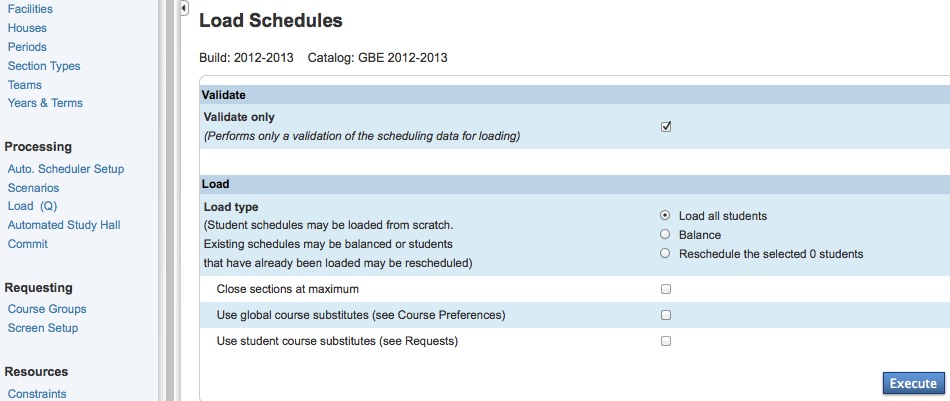
PowerScheduler Processing & The Load Process
Glenbard uses the Processing section for loading students to the […]
Glenbard uses the Processing section for loading students to the […]
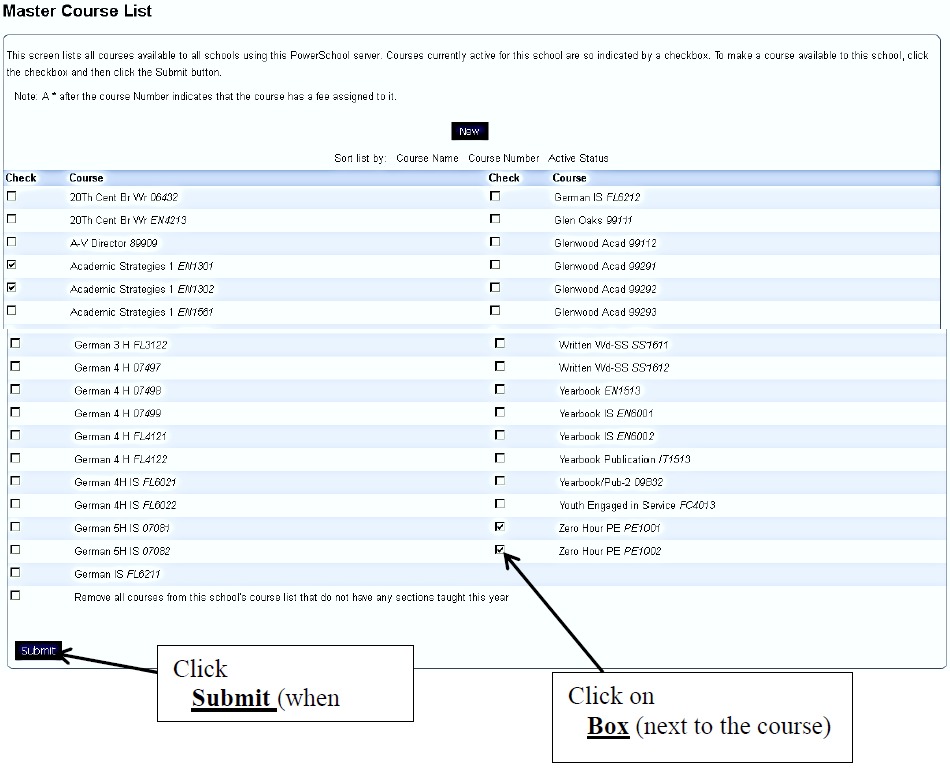
In order for courses to be available for scheduling, they […]
Parameters in PowerScheduler are used to dictate the boundaries of […]
This article discusses how termIDs are created and how to […]
Any errors in the setup of the master schedule can […]
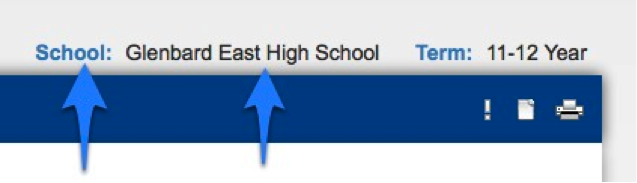
Many functions in PowerSchool differ depending on whether the user […]

Although searching for a last name like Smith is useful […]

PowerSchool users can either browse to or search for a […]
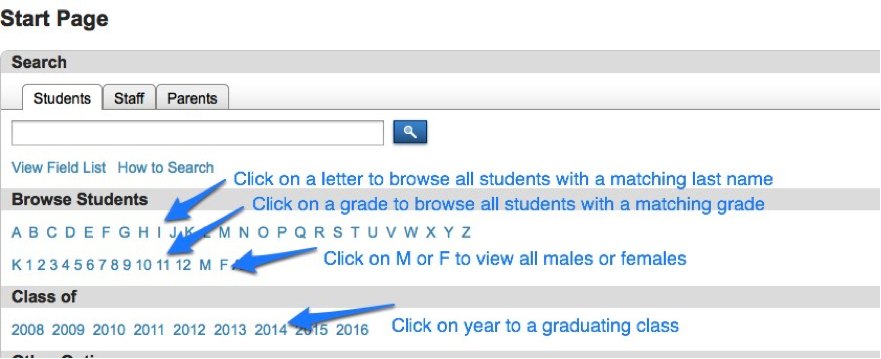
PowerSchool users can either browse to or search for a […]
Students, including returning and graduating seniors, must have their scheduling […]
Start typing to search
Find posts, pages, and products across your site.
No results found
Try different keywords or check your spelling.