An upgrade to Skyward software added a new optional widget that users can add to their Skyward homepages. The message is the system attempting to notify you of the new widget and find out if you want it on your homepage.
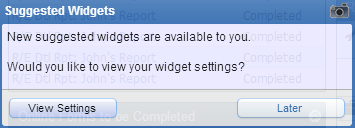
To stop the message from appearing, click View Settings. You can take further action, but once you click View Settings you will not see the message again unless a future upgrade provides new widgets. To exit the settings screen, click the Backbutton.
The new widget that you could add to your account has an orange arrow that says “New”. To add the new widget to your Skyward homepage, check the box to the left of the title of the widget. Then click the Save button. You can always remove the widget at a later date.