Breaks allow the report to create subtotals and or if Print Detail is set to No, the Breaks also allow the report to only consolidate subtotals for a group of accounts.
- To set a break, check one of the check boxes on the Breaks page. When setting a break, check the box in the last digit of the element to subtotal; not the digit following. For example: For subtotals on Location, check the 3rd box in the LOC grouping; not the 1st box in the FUNC group.
- For each Break, there are additional settings that can be configured:
- The Break drop-down, sets whether there is a Single space, Doublespace, or Page break when a break is met on the report.
- Setting Heading to Yes will cause print the text definition of the element where the break occurs. For example, if Heading is set to yes on a break in the Fund, then your report may list out headings like “Educational Fund” or “Transportation”.
- Setting Separator to Yes will place a blank line between a grouping of accounts and that groupings subtotal.
- The Double Underline puts a double underline under each column of dollars.
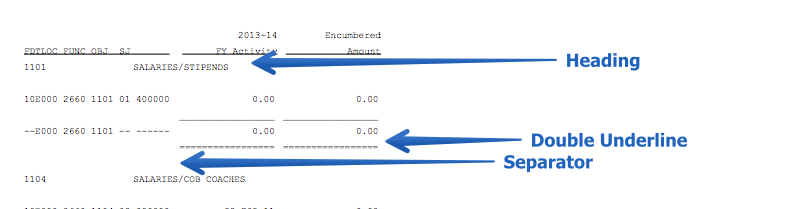
Example:  spacing of breaks.pdf