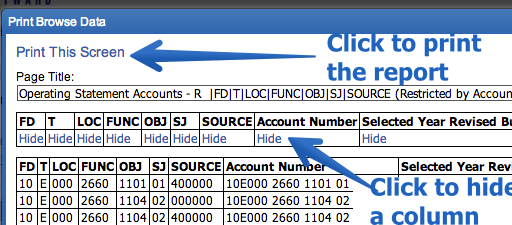
To print all of this information look for the wording View Printable Details after you expand. This will open another window that gives you an option to Print this Page in the upper left corner. You may X out in the right blue area. This is the only window you should X out on the right — always use the Back or Exit option.
To save off a list of all of your accounts and balances click on the Excel icon to export your accounts to Excel. 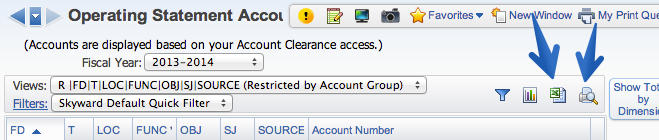
Or click on the printer icon to generate a PDF. Once you click on the printer icon a second window will appear. Along the top is a list of the columns included and the word Hide under each column. Click Hide to hide a column when the PDF generates. Once the report looks OK, click Print This Screen.